Project Setup
-
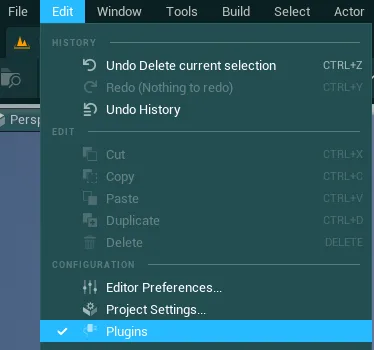
Open your Unreal Engine project, go into “Edit” and open the Plugins tab
-
Then, type “JSON” and enable the
JSON Blueprint Utilitiesplugin (do not restart right now)
-
Then, type “File Utilities” and enable the
Blueprint File Utilitiesplugin (do not restart either)
-
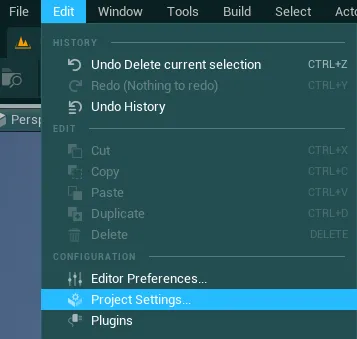
Once this is done, go again into “Edit” and open the Project Settings tab
-
Type “enable user” and make sure the box besides the
Enable User Settingsoption is checked (true)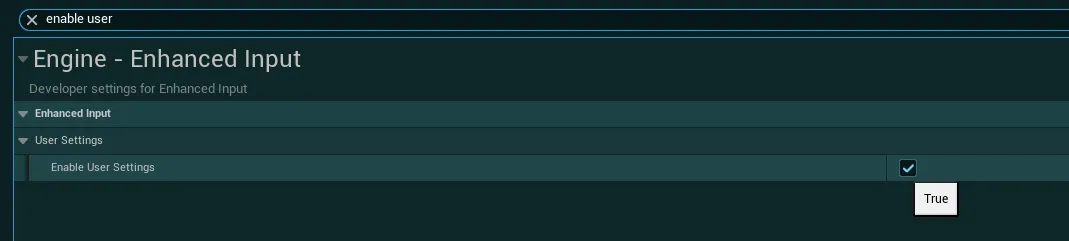
-
Then, type “render focus” and select
Neverin the dropdown for theRender Focus Ruleoption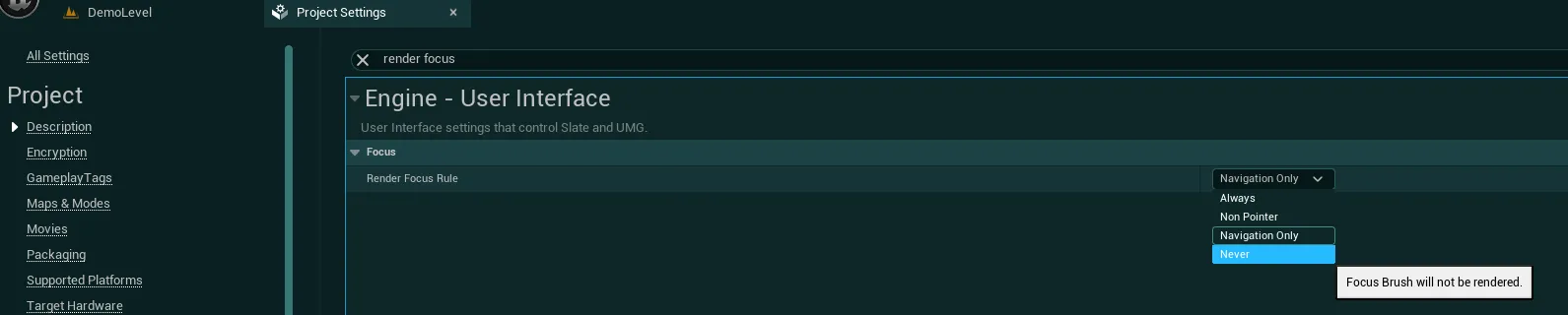
-
Then inside the
Renderingcategory (Under Engine), make sure Lumen is enabled and checkSupport Hardware Ray Tracing
This setting is not necessary but if you don't enable it, the "Hardware Ray-Tracing Lumen" toggle option won't work in the options menu
-
(Optional) Search “flush keys” and make sure the
Should Flush Pressed Keys on Viewport Focus Lostoption is unchecked (false)
Disabling this should result in a better responsiveness of the UI with keyboard inputs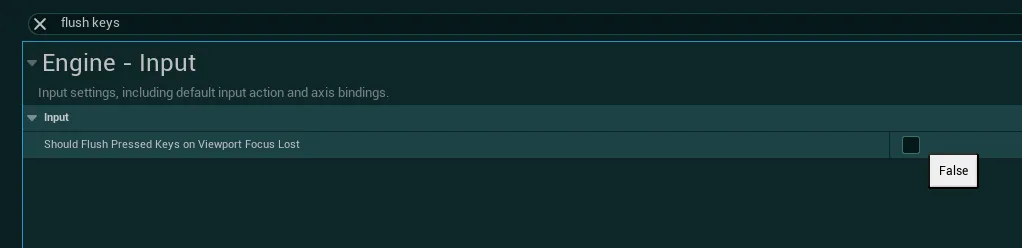
-
You can now close Unreal Engine and proceed to the next section